Browse help
Some clients have negotiated terms: a usual discount, or a special price on a few items. Client pricing (« Tarifs ») stores them once and for all, so you no longer have to re-enter them on every document.
This feature depends on your subscription, with a quota of special prices. If it is not included, the tab indicates the plan that offers it.
1. The default discount (%)
In the client record (when creating or editing), the Remise par défaut (%) (Default discount (%)) field pre-fills the global discount of this client's new invoices and new quotes. It only applies to new documents (never to those already created), the mobile app pre-fills it too, and if you change it on the document, it is never replaced automatically again.
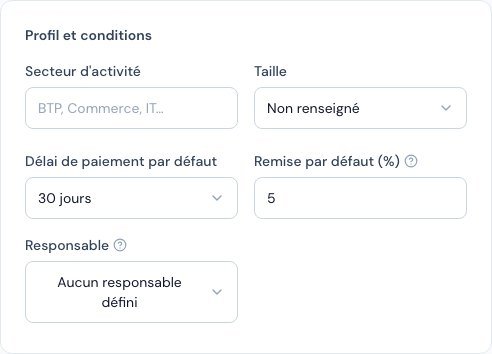 The « Remise par défaut (%) » (Default discount (%)) field in the client record.
2. Item prices
- Open the client record, Tarifs (Pricing) tab.
- Click Nouveau tarif (New price) and choose the item.
- Fill in whatever you need: a special price (DH) (leave it empty to keep the catalogue price), a line discount (%) and a default quantity.
- Save: you can edit or delete a price at any time.
When you look up this item in a quote or an invoice for this client, it carries the Tarif client (Client price) marker, and the negotiated price, discount and quantity are suggested instead of the catalogue values.
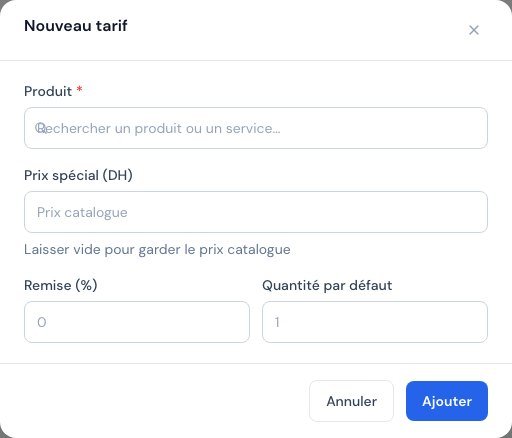 The « Nouveau tarif » (New price) window: item, special price, discount and default quantity.
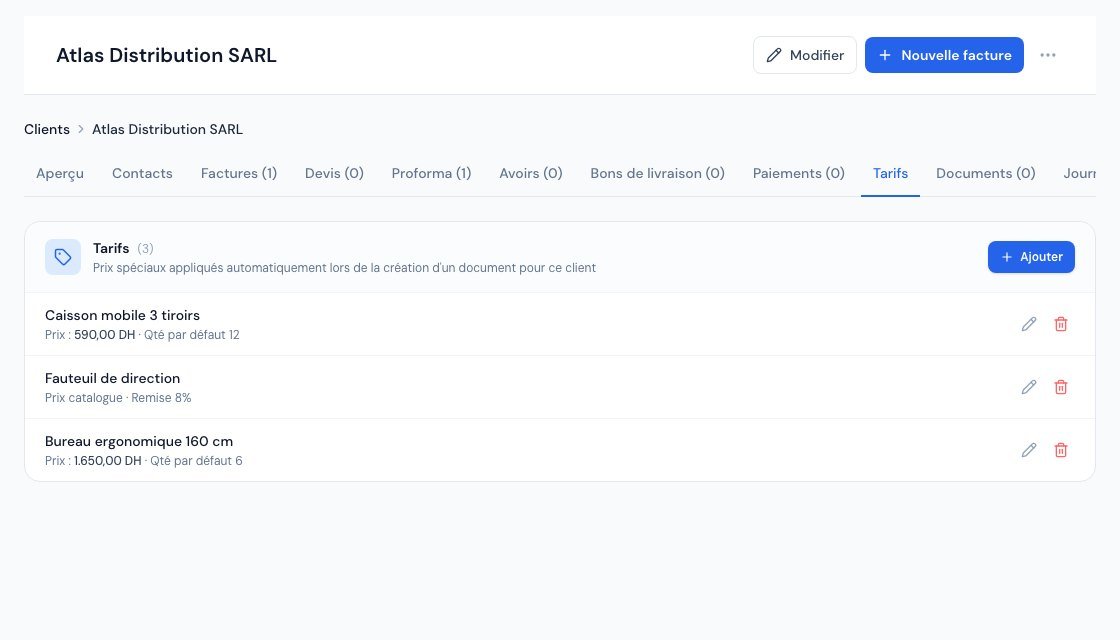 The « Tarifs » (Pricing) tab: special price, discount and default quantity for each item.
The item's catalogue price is never modified: the price only applies to this client. A client without a price keeps the catalogue prices.
Permissions
The owner and administrators manage prices; other roles can view them.
Related articles
Was this article helpful?
Invoice compliantly, effortlessly
DGI-compliant invoices, quotes, credit notes, VAT and supplier tracking in a single tool.
Try it free