Browse help
What are account managers for?
An account manager (« responsable ») is the person on your team who follows a client or a supplier: a client's sales rep, a supplier's buyer. Billora shows their name in your lists and groups their records into a portfolio, with what remains to be collected or paid.
Example. Karim and Imane are sales reps in a trading company in Casablanca. The manager assigns each client to one of them. At the end of the month, he opens Imane's portfolio to see her overdue unpaid invoices and ask her to follow up.
An account manager is a simple label: a name, a position and a colour. They have no account, do not log in and receive no email. To give someone access to Billora, invite them as a member (see Team roles and access).
1. Create an account manager
- Open Paramètres (Settings), then Responsables.
- Click Nouveau responsable (New account manager).
- Enter the Nom (Name, required), the Poste (Position) if you wish (« Commercial, Responsable achats… », sales rep, purchasing manager…) and choose a Couleur (Colour).
- Click Enregistrer (Save).
The list shows, for each account manager, their colour, name, position and the number of clients and suppliers assigned to them.
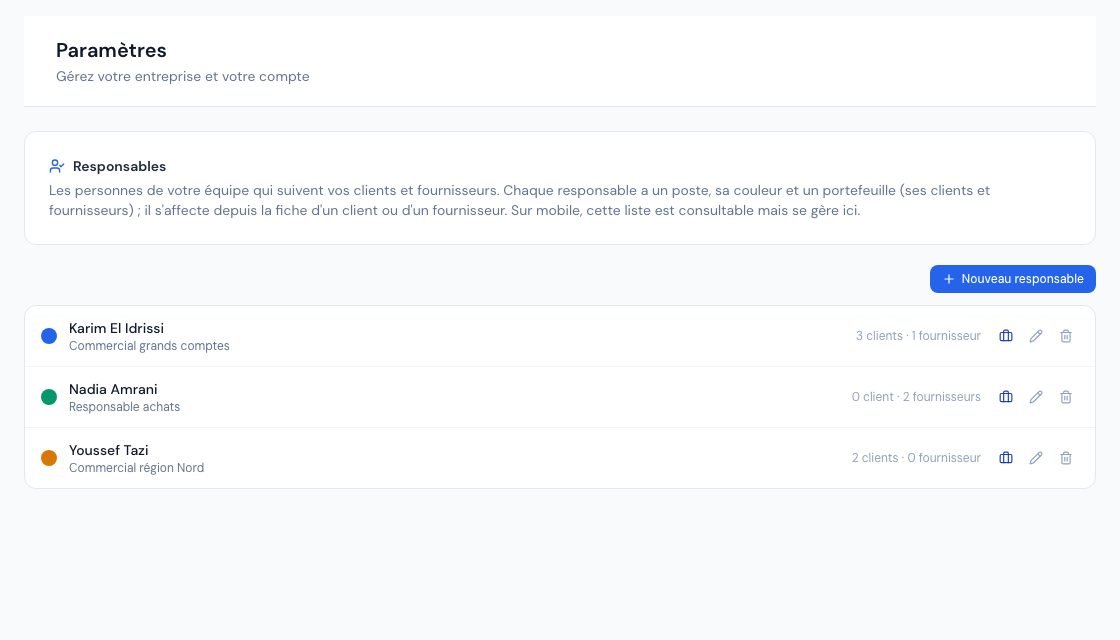 The « Responsables » (Account managers) settings page with the list of account managers.
2. Assign an account manager to a client or a supplier
- Open the client or supplier record, then Modifier (Edit) (or do it on creation).
- In the Profil et conditions (Profile and terms) section, pick the person in the Responsable field, or « Aucun responsable » (No account manager).
- Save the record.
A record has only one account manager. If the list is empty (« Aucun responsable défini », no account manager defined), the Ajouter un responsable (Add an account manager) link at the bottom of the selector opens the account managers page in a new tab, without losing what you have already entered.
3. Where does the account manager appear?
- « Responsable » column in the lists: clients, invoices, quotes and credit notes (the client's account manager), suppliers, expenses and purchase orders (the supplier's account manager). You can hide this column with the column picker (see Saved views and columns).
- « Responsable » filter in the Clients and Fournisseurs (Suppliers) lists, with the « Sans responsable » (No account manager) option to spot unassigned records.
- Client or supplier record: in the Profil et conditions card.
In these screens, clicking the account manager's name opens their portfolio.
4. View an account manager's portfolio
Open it from the list of account managers (click the name or the Voir le portefeuille (View portfolio) icon) or from a name in a list. You will find:
- Clients: Total facturé (Total invoiced, net of credit notes, excluding drafts and cancelled invoices), Impayés (Unpaid) and Dont en retard (Of which overdue);
- Fournisseurs (Suppliers): Total acheté (Total purchased, excluding drafts and cancelled expenses), À payer (To pay) and Dont en retard (Of which overdue);
- two tabs, Clients and Fournisseurs, listing each record with its amount left to collect or to pay (in red if overdue). Archived records carry the Archivé (Archived) tag. A click opens the record.
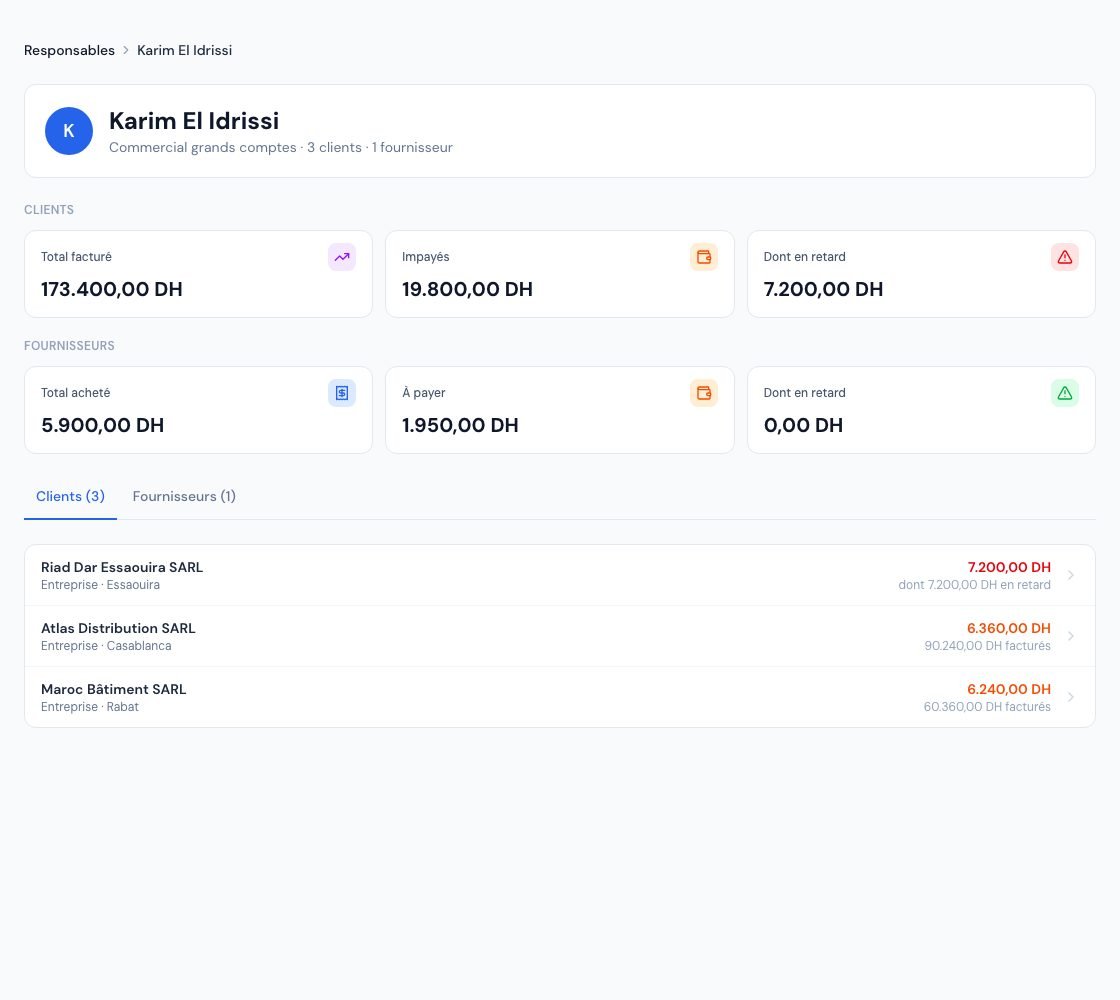 An account manager's portfolio with their clients and suppliers.
5. Edit or delete an account manager
- The pencil icon opens Modifier le responsable (Edit the account manager: name, position, colour). The change appears everywhere.
- The bin icon asks for confirmation. The records concerned go back to « sans responsable » (no account manager): no client or supplier is deleted.
6. Who can manage account managers?
- Owner and administrator: create, edit and delete account managers.
- Collaborator and viewer: see the account managers page read-only. The collaborator can assign an existing account manager by editing a client or supplier record.
- External accountant: has no access to settings.
In the mobile app, the list of account managers can be viewed; it is managed from the web.
Frequently asked questions
Must an account manager be a member of my Billora team?
No. It is a label independent from user accounts: you can enter a field sales rep who does not use Billora.
Can two account managers be assigned to the same client?
No, a client or supplier record has only one account manager.
What happens if I delete an account manager?
Their clients and suppliers go back to « sans responsable ». No record or document is deleted.
Do account managers depend on my subscription?
No, they are available whatever your subscription.
Next steps
Related articles
Was this article helpful?
Invoice compliantly, effortlessly
DGI-compliant invoices, quotes, credit notes, VAT and supplier tracking in a single tool.
Try it free