Browse help
What is it for?
When you deposit several cheques at once, the bank asks you for a deposit slip (bordereau de remise). Billora prepares it for you and keeps a record of the deposit: which cheques, what total, on what date. No more copying each cheque by hand.
Example: on Friday, "Quincaillerie Rochdi" in Meknès received 5 cheques from clients. She ticks them in Billora, prints the deposit slip, and takes it to the bank with the cheques. Later, she can find this deposit, its total and the exact list of cheques.
Menu Paiements → Remises en banque (Payments → Bank deposits), or the Nouvelle remise (New deposit) button in the cheque register. Like the register, the feature depends on your subscription: if it is not included, the page indicates the plan from which it is available.
1. Create a deposit
- Click Nouvelle remise. The "Nouvelle remise en banque" (New bank deposit) window opens.
- Check the référence (reference): it is suggested automatically (
REM-AAAAMMJJ, then-02,-03… if you make several deposits on the same day). You can edit it. - Choose the date de remise (deposit date) and, if you wish, the compte bancaire (bank account) credited.
- Tick the cheques to deposit: only cheques that are received, pending or already deposited and not already in another deposit are offered. The total deposited is displayed as you go.
- Confirm with Créer la remise (Create the deposit).
Two deposits cannot carry the same reference: Billora refuses it and tells you in the form. You must also tick at least one cheque.
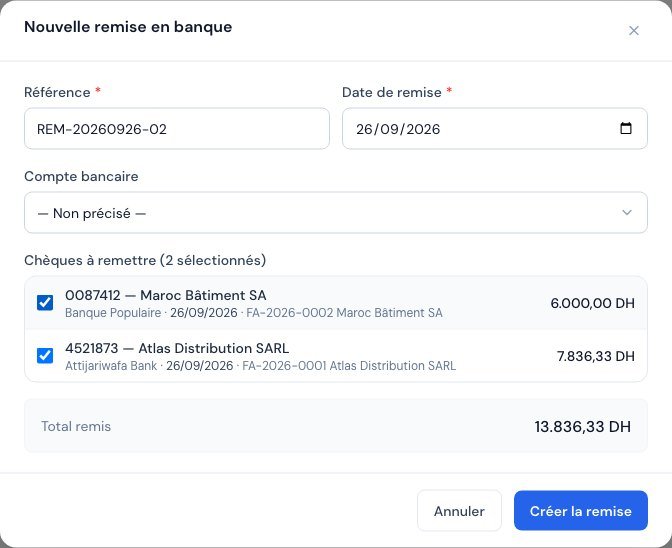 The "Nouvelle remise en banque" window: suggested reference, date, account, ticked cheques and total deposited.
Cheques still en attente (pending) automatically move to Déposé (Deposited).
Depending on your setting in Paramètres → Informations (Settings → Information) ("Un chèque solde la facture/dépense à partir du statut" (A cheque settles the invoice/expense from the status)), moving to "Déposé" may already settle the corresponding invoice. By default, the recommended choice is "Payé (encaissé)" (Paid (cashed)): the invoice is settled only on actual collection, which avoids counting a cheque that might bounce.
2. The PDF deposit slip
From the deposit's page, Voir le bordereau (View the deposit slip) opens a preview that you can download or print. The slip takes the identity of your other documents: your business's logo, colours, invoice template, footer and language (French, English, Arabic or bilingual French-Arabic, with the appropriate reading direction). The downloaded file carries the deposit's reference in its name.
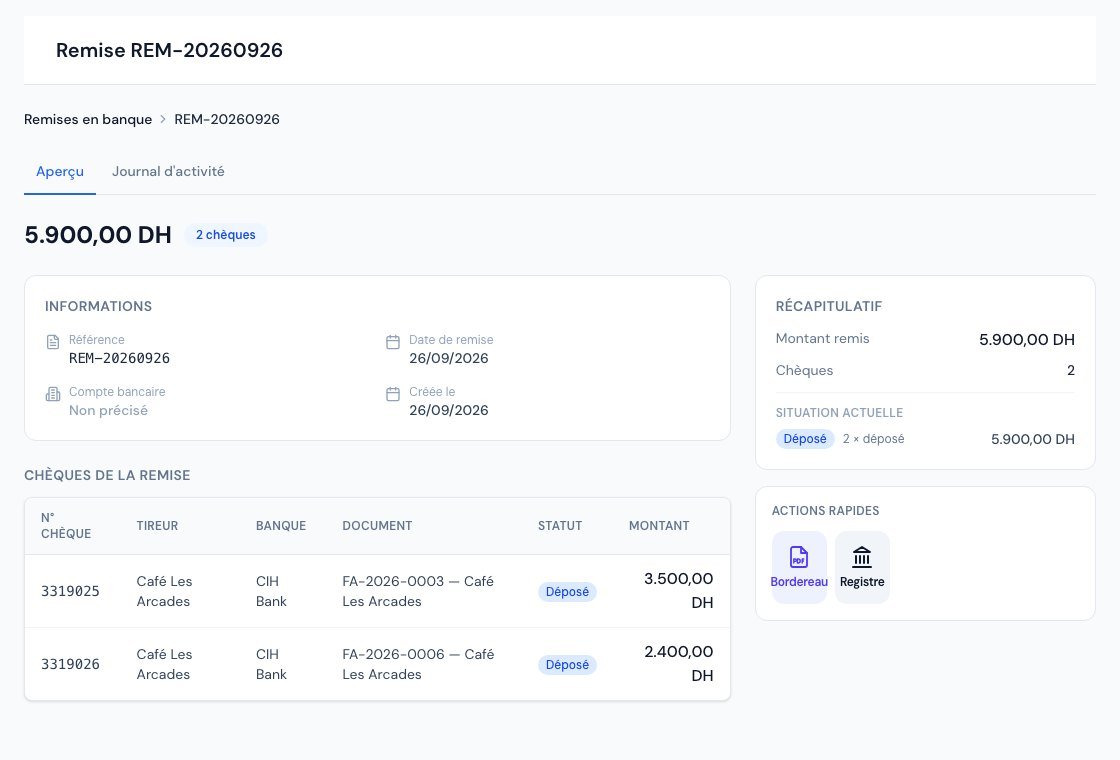 A deposit's page: the cheques deposited, the total and the "Voir le bordereau" button.
From the list, each row's "…" menu also offers Bordereau PDF and Voir le détail (View details). A deposit slip is a document for handing in to the bank; it does not count as a payment receipt for your clients.
3. The list of deposits
Search by reference, filter by dates, statistics (number of deposits, of cheques deposited and total amount) and sorting by reference, date, number of cheques or total amount. Clicking a deposit opens its page with the detail of the cheques: number, drawer, bank, linked document, status and amount.
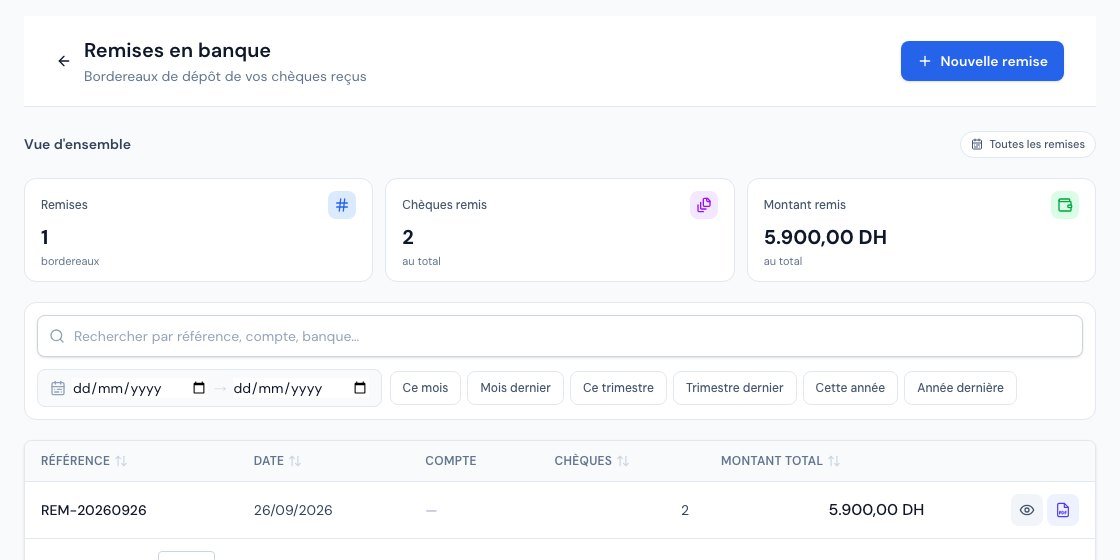 The list of deposits: search, period, statistics and sorting by column.
Permissions
Only the owner and administrators create deposits; the other roles can view them.
Frequently asked questions
My cheque does not appear in the list to tick.
Only received cheques (from your clients) that are not already in another deposit are offered. A cheque you issued to a supplier does not belong in a deposit. A cheque already deposited, bounced or cancelled does not appear either.
A cheque from the deposit bounces. What should I do?
Open the cheque in Paiements → Chèques and move it to "Impayé" (Unpaid): the settlement possibly counted is cancelled and the invoice's balance is restored. The deposit keeps its trace. See Tracking your cheques.
I forgot a cheque in the deposit.
Create a new deposit with that cheque: a second deposit on the same day automatically receives the next reference (-02).
The bank requires its own paper deposit slip.
The Billora slip keeps a record of what you deposited and can accompany your deposit, but some banks ask for their own form: keep it together with the Billora slip as an internal supporting document.
Next steps
Related articles
Was this article helpful?
Invoice compliantly, effortlessly
DGI-compliant invoices, quotes, credit notes, VAT and supplier tracking in a single tool.
Try it free