Browse help
Your accountant is preparing the year-end close and asks you for the receipt for an 850 DH fuel fill-up and a repair invoice. Everyone thinks someone else scanned them. The « Justificatifs manquants » (Missing receipts) page lists all expenses that have no attachment (supplier invoice or receipt) and lets you request the document from team members, by email and by notification.
In Morocco, supporting documents must be kept for 10 years (art. 211 of the CGI). An expense without a supporting document may be refused as a deduction during a tax audit, including deductible VAT (TVA). This page is displayed with that reminder.
The request is sent to the members of your team who can add a document (owner, administrators, collaborators), not to your clients or suppliers. The requester is not notified: they already know.
1. Open the page
In the menu, group Comptabilité → Justificatifs manquants (Accounting → Missing receipts). You can also get there from the « Points d'attention » (Points of attention) page, with the « Voir et réclamer » (View and request) link (the period and the threshold are then already set).
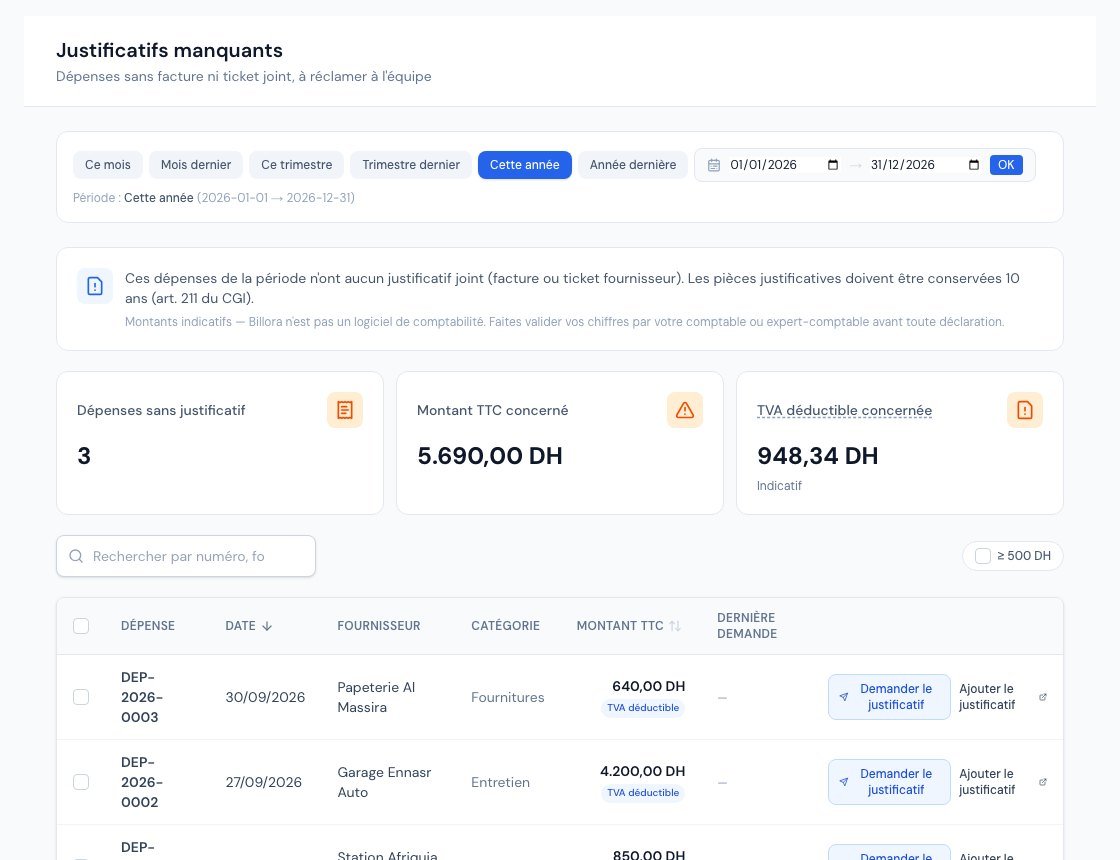 The Missing receipts page with expenses without an attachment.
The page presents:
- three cards: Dépenses sans justificatif (Expenses without a receipt), Montant TTC concerné (Amount incl. VAT concerned) and TVA déductible concernée (Deductible VAT concerned) (indicative: your chartered accountant has the final say);
- a period selector (This year by default), a search field (number, supplier, category) and a « ≥ 500 DH » checkbox to see only expenses from that amount incl. VAT;
- a table: expense, date, supplier, category, amount incl. VAT (with the "TVA déductible" marker), last request.
Only validated expenses count: drafts and cancelled expenses are ignored. An expense that has at least one attachment (or an old receipt recorded before attachments existed) does not appear. When everything is in order, the page shows "Tous les justificatifs sont joints" (All receipts are attached).
2. Request a receipt
Who can request? The owner, the administrators and the accountant. For other roles, the page is read-only: no checkbox, no request button.
- On the expense's row, click « Demander le justificatif » (Request the receipt). For several expenses at once, tick them: a bar appears at the bottom with « Demander les justificatifs (2) » (Request the receipts (2)) (up to 50 expenses per request).
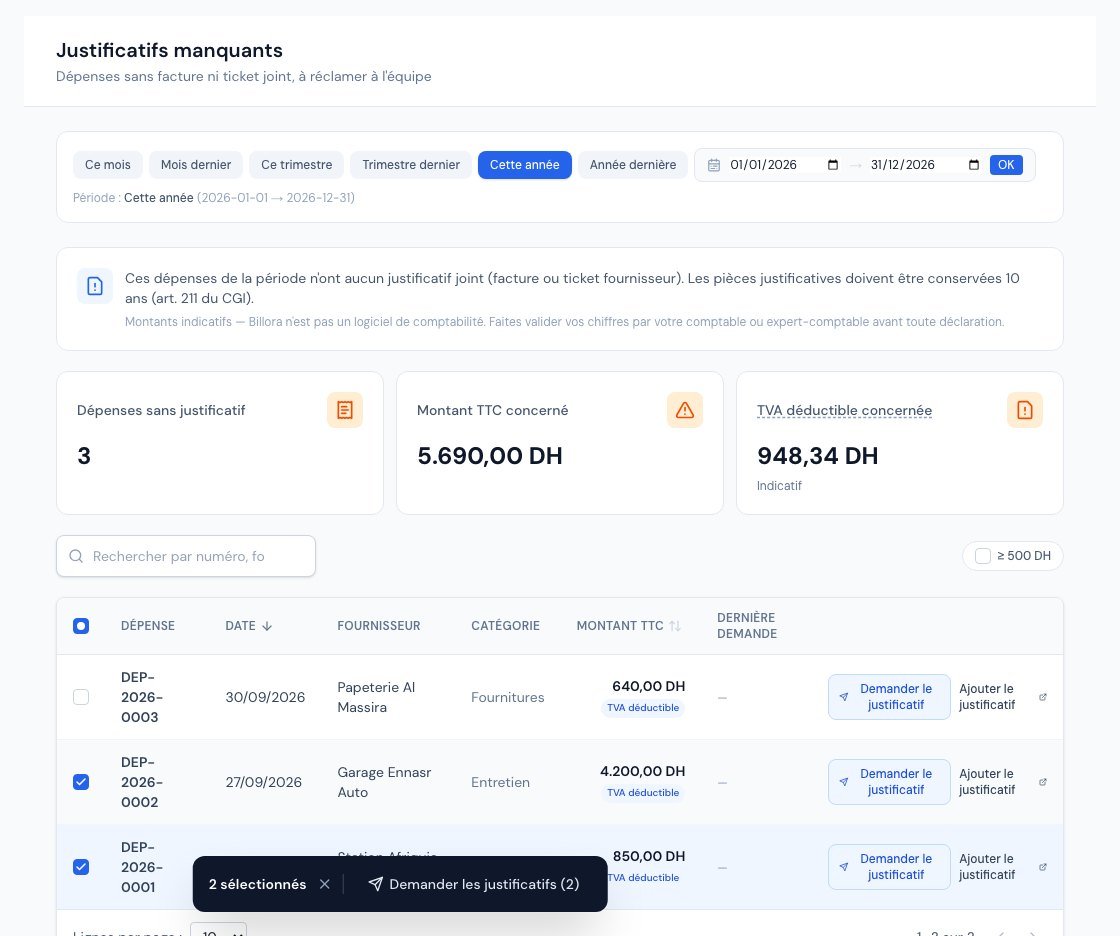 Two ticked expenses and the Request the receipts bar.
- A window opens: « Demander le justificatif » (or « Demander 2 justificatifs »). It reminds you who will receive an email and a notification. If needed, add an optional message (1 000 characters maximum), for example "Pour la clôture de vendredi" (For Friday's close).
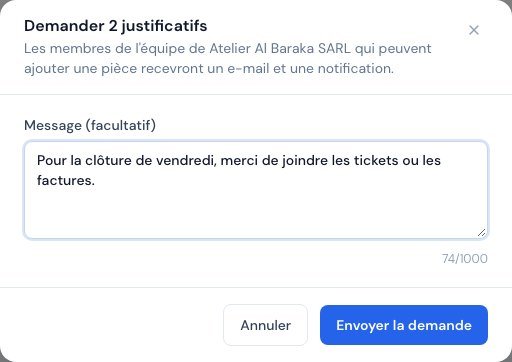 The Request 2 receipts window with the optional message.
- Click « Envoyer la demande » (Send the request).
A green banner confirms: "Demande envoyée à 1 destinataire." (Request sent to 1 recipient.) If some expenses had already received a receipt in the meantime, the banner adds "1 dépense déjà couverte, ignorée" (1 expense already covered, ignored).
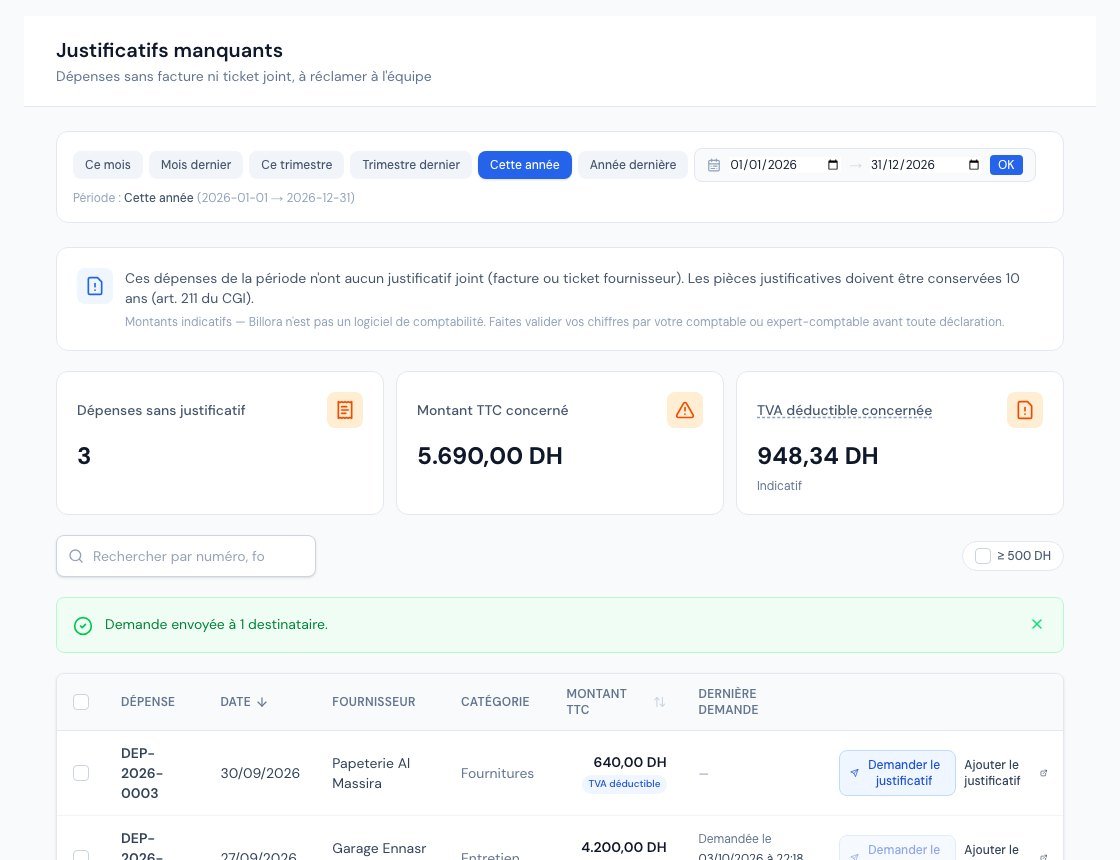 The Request sent confirmation and the Last request column.
3. What your colleague receives
- An email "Justificatif demandé" (Receipt requested) that recalls the date, supplier, label and amount incl. VAT of each expense, your message, and an « Ajouter le justificatif » (Add the receipt) button. If the person replies to the email, their reply reaches you directly.
- A notification in Billora (bell at the top of the screen).
Your message is displayed as is, but its links are neutralised and a note states that Billora does not check its content: this is a protection against booby-trapped messages.
4. Add the receipt
The person opens the expense (click on "Ajouter le justificatif") and, in the « Justificatifs » (Receipts) card of the page, clicks « Ajouter un document » (Add a document) to upload the photo or the PDF. As soon as a document is attached, the expense disappears from the "Justificatifs manquants" page.
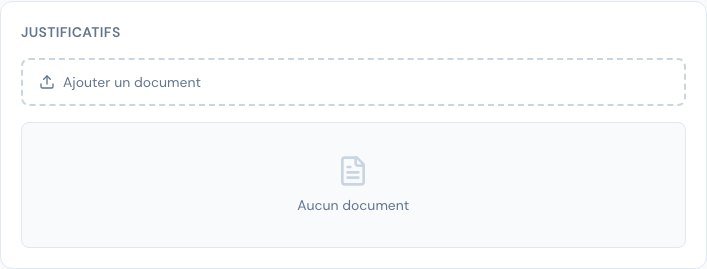 An expense's Receipts card with the Add a document button.
Frequently asked questions
Why is the "Demander le justificatif" button greyed out?
A request has already been sent for this expense less than 24 hours ago. Hover over the button: "Déjà demandé — nouvelle demande possible le …" (Already requested — new request possible on …). This limit avoids pestering your colleagues. The "Dernière demande" (Last request) column shows who asked and when.
The message "Aucun membre de l'équipe à prévenir" is displayed.
The request is sent to the members who can add a document (owner, administrators and collaborators), never to the person who made it. This message therefore means that nobody but you can do it: add the receipt yourself with "Ajouter le justificatif".
This does not apply to the accountant: they are read-only and cannot add a document, but their requests always reach the account owner.
"Trop de demandes de justificatifs" (Too many receipt requests) or "Quota d'e-mails atteint" (Email quota reached).
There is a limit on requests per hour and per person, and an email quota for the company. Try again a little later.
The page shows "Période trop large" (Period too wide).
You chose a period that contains too many expenses to review: narrow it down (for example one quarter) to see all the expenses concerned.
Is the 500 DH threshold mandatory?
No: it is simply a display filter. The "Points d'attention" (Points of attention) flag expenses of at least 500 DH incl. VAT without a receipt.
Next steps
Related articles
Was this article helpful?
Invoice compliantly, effortlessly
DGI-compliant invoices, quotes, credit notes, VAT and supplier tracking in a single tool.
Try it free