Browse help
A proforma invoice is a preliminary document: it looks like an invoice but has no accounting or tax value. It is used to obtain an advance payment, open a documentary credit, justify a foreign currency request or respond to a call for tenders.
A proforma does not enter revenue, VAT (TVA) or receivables. Only the final invoice, once created, counts.
1. Create a proforma
- Menu Facturation → Factures proforma (Invoicing → Proforma invoices), then Nouvelle facture proforma (New proforma invoice).
- Choose the customer, the lines (products or free-form lines), any discounts, the VAT and the payment terms.
- Save: it stays a draft until you send it.
The number follows the format FP-AAAA-XXXX (i.e. FP-YYYY-XXXX; the prefix can be changed in the numbering settings), sequential per year, and is only assigned on sending.
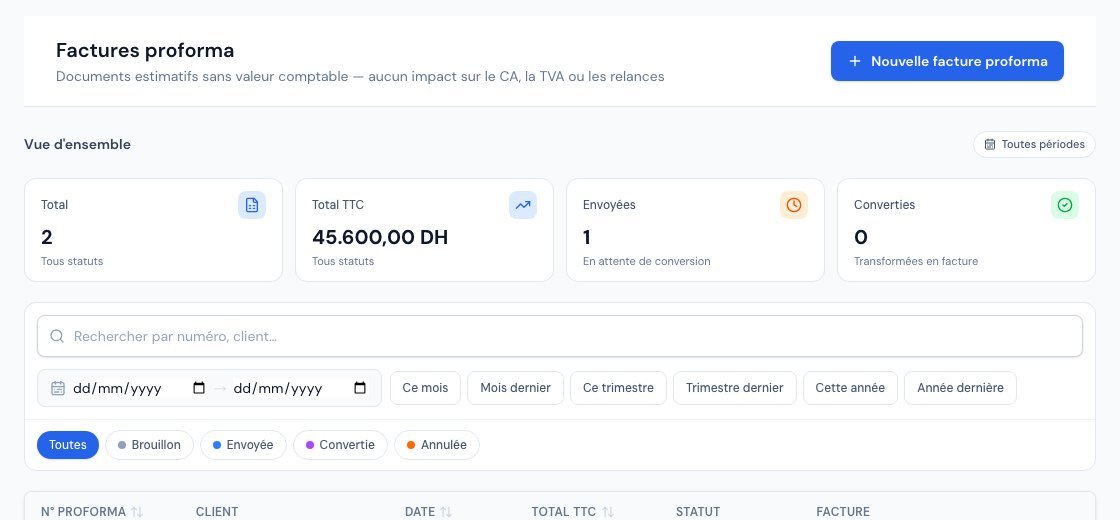 The list of proforma invoices, with their FP-YYYY-XXXX number and status.
2. The statuses
| Status | Meaning |
|---|---|
| Brouillon (Draft) | Editable, with no final number. |
| Envoyée (Sent) | Sent to the customer by email (PDF attached). |
| Convertie (Converted) | Turned into a final invoice. |
| Annulée (Cancelled) | Abandoned. |
3. Send it
Envoyer par email (Send by email) sends the PDF to the customer. The PDF uses your visual identity (logo, colours, template) and the chosen language.
4. Convert it into an invoice
When the customer approves, click Convertir en facture (Convert to invoice): an invoice is created with the same lines, discounts and terms, and the proforma moves to Convertie. It is this invoice — not the proforma — that then follows the usual cycle (issuing, payment, e-invoicing where applicable).
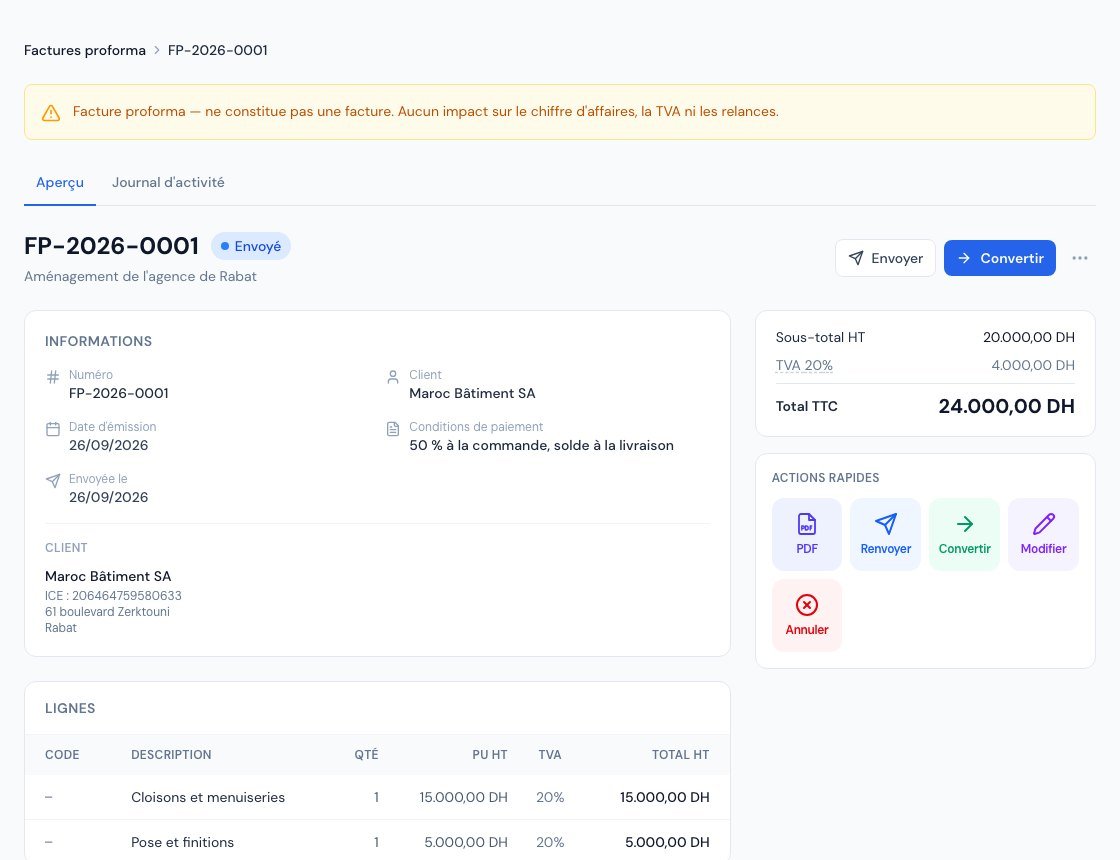 A proforma page: the banner reminding you that it is not an invoice, and the « Convertir » (Convert) button.
Proforma, quote or invoice?
- The quote is an offer: it can be accepted or rejected by the customer.
- The proforma is a priced document "for form's sake", often required for an advance payment or an administrative procedure.
- The invoice is the only accounting document: it creates the receivable and the VAT.
Related articles
Was this article helpful?
Invoice compliantly, effortlessly
DGI-compliant invoices, quotes, credit notes, VAT and supplier tracking in a single tool.
Try it free